Compliance
Horizon Psychosocial
Anonymous psychosocial risk assessment for organisations.
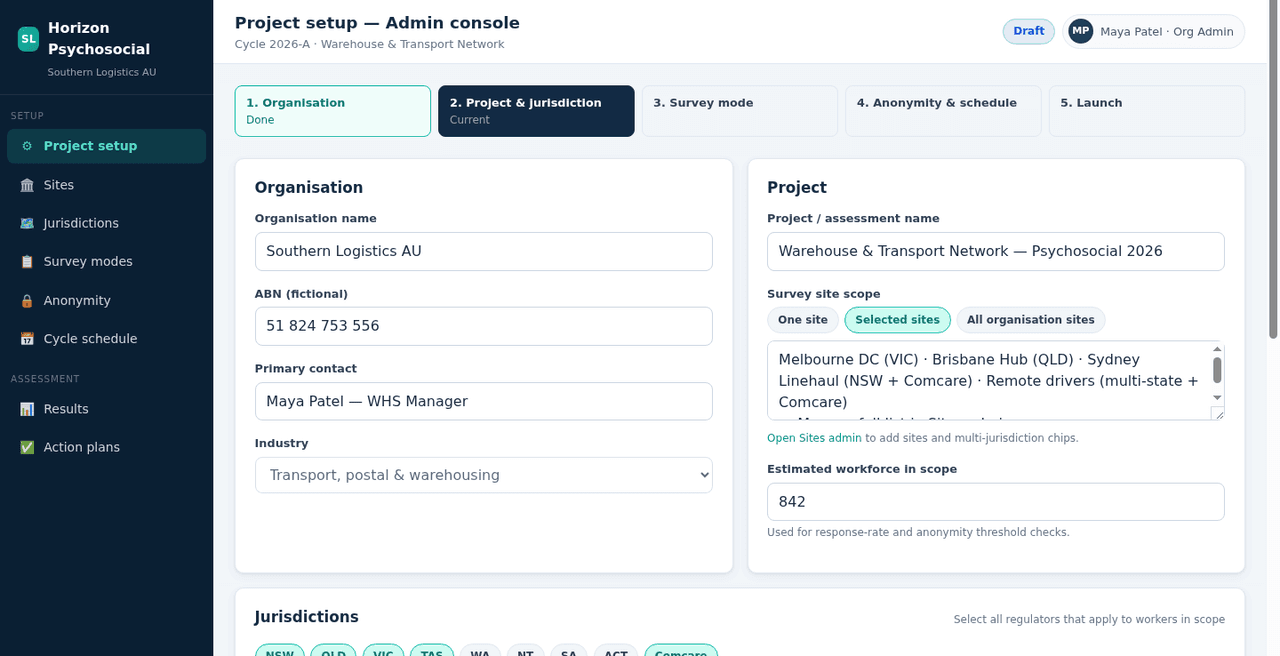
Set up your sites and the regulatory jurisdictions that apply to them. Publish a survey and collect answers without naming people. Show group results only when team and department sizes are large enough. Plan actions that eliminate or minimise the risk. Draft a board narrative from the group results, then export PDF, Word, or PowerPoint for leaders and oversight.
The problem
Psychosocial risk work often ends up in spreadsheets, one-off surveys, and slide decks that are hard to run again. People worry their answers will identify them. Shared devices and paper still matter on many sites. Leaders need clear group signals, action owners, and a pack they can stand behind without exposing anyone.
Built for the way safety actually works
Horizon Psychosocial is a workspace for psychosocial risk surveys and the work that follows.
You set up the organisation, sites, and the regulatory jurisdictions that apply to those sites. You build the survey: choose the type, then add, remove, reorder, or turn sections and questions on or off. The survey wording comes with the product and covers common psychosocial hazard topics. People answer through an open or shared link (with a QR code and poster), a personal anonymous link, a shared workstation, or paper.
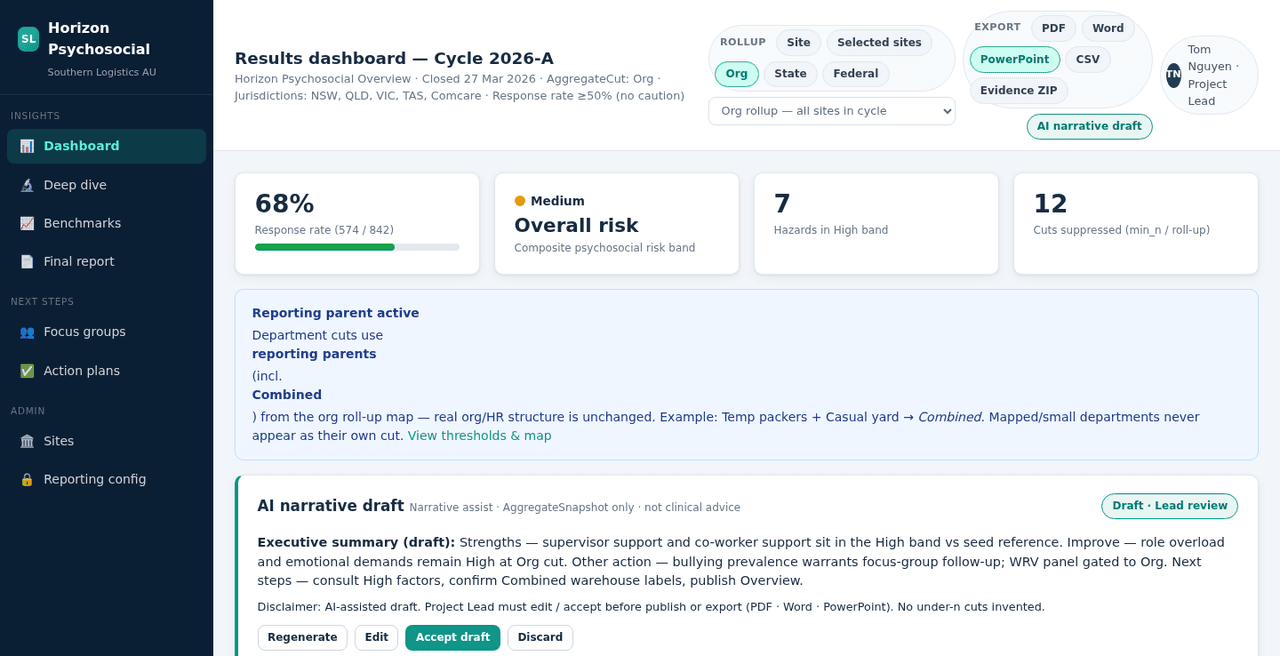
You set the smallest group size allowed before results for that group can show. Respondents in groups below that minimum are rolled up and combined so those small groups are not shown on their own. That keeps results anonymous.
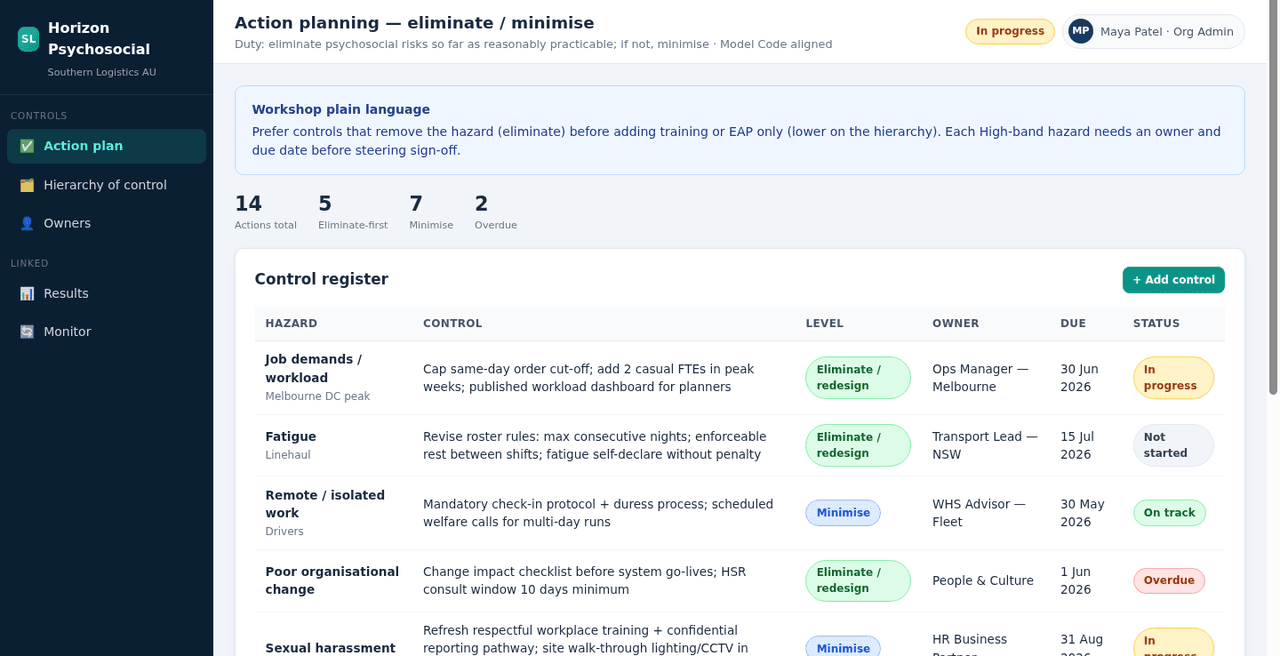
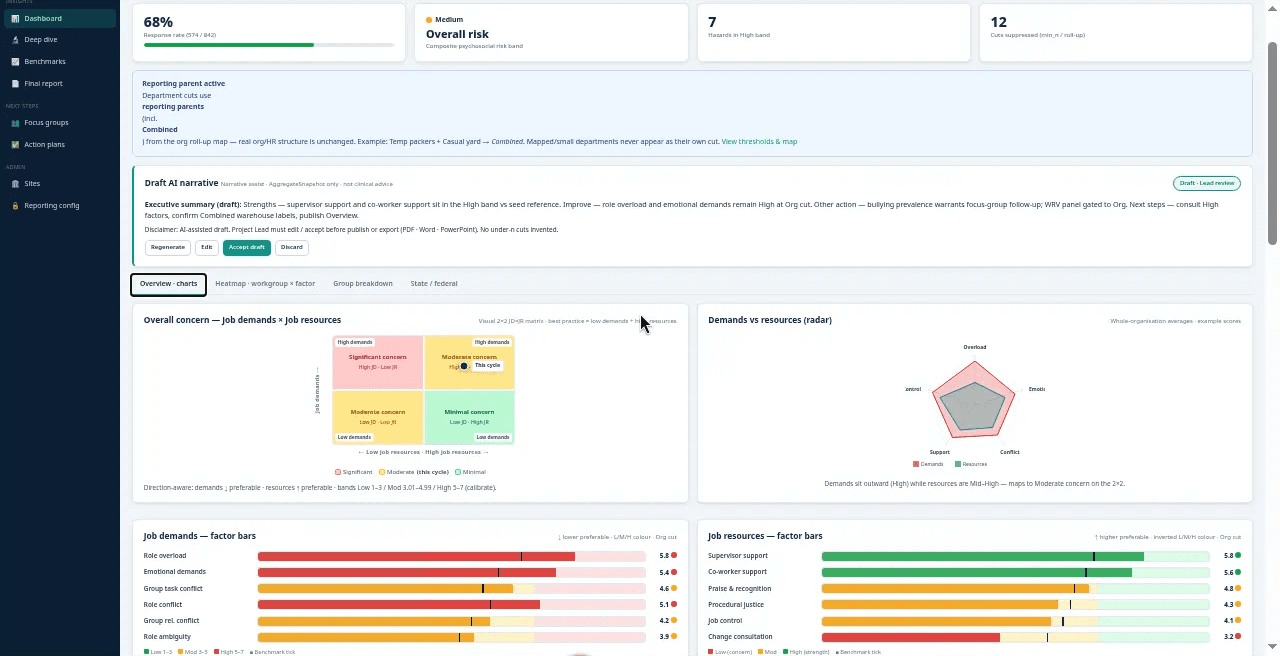
Results are group totals only. You see pressures at work, supports at work, how pressures sit against supports, and heatmaps. Each action says whether you will eliminate or minimise the risk, who the owner is, and when it is due. Draft AI narrative is written from the group results for the main sections. A project lead creates the draft, edits it, runs it again if needed, and accepts it before it can go into an export. You can export PDF, Word, and PowerPoint.
From the start you can identify psychosocial risks, assess the group results, and put controls in place. Admin then adjusts the survey, how people answer, the group-size rules, and which sites are in scope.
How it works
- 1
Set up the survey cycle
You create the organisation, sites, and regulatory jurisdictions that apply. You choose how often you review, and whether the cycle covers all sites or selected ones. You set the minimum group sizes for results. You can raise those sizes. The product will not let you set them lower than the built-in floors. You confirm who is the project lead, who is on the steering group, and who owns actions.
- 2
Collect responses
You publish the survey. You invite people with an open or shared link (with a QR code and poster), or with a personal anonymous link. You can also use a shared workstation on a central device on the office or workshop floor, or paper where that fits.
With an open or shared link, each person finishes the survey in one sitting. They cannot save half-finished answers and come back later on that link. A personal anonymous link can let someone save progress and finish later. On a shared workstation, after someone submits, the next person sees a blank survey so they do not see the previous answers.
- 3
Read the results
When enough people in a group have answered, you see group views for pressures at work, supports at work, how pressures sit against supports, and heatmaps. Respondents in groups below the minimum size are rolled up and combined so those small groups are not shown on their own. Operators cannot view anyone's individual answers.
- 4
Act and export
You raise actions that say whether you will eliminate or minimise the risk, who the owner is, and when it is due. You can capture focus-group plans and discussion notes beside the numbers where useful. You create Draft AI narrative from the group results for the main sections, edit it, and accept it. You export PDF, Word, or PowerPoint for leadership and evidence packs.
Trust in the survey
Minimum group sizes and group-only results help people answer without worrying that someone else can read their individual answers.
Ways to reach people at work
Open link, personal anonymous link, shared workstation, and paper match how different teams respond.
From scores to owners
Actions turn group signals into owned work that eliminates or minimises the risk, with an action owner and a due date on each action.
Packs leaders can use
Draft AI narrative plus PDF, Word, and PowerPoint tell one clear story from the same group results.
Everything in Horizon Psychosocial
- Regulatory jurisdictions you assign where they apply to each site
- Organisation, sites, teams, and survey-cycle setup with review timing
- Editable survey: add, delete, reorder, or turn sections and questions on or off
- Survey wording that comes with the product, covering common psychosocial hazard topics
- Invite options: open or shared link (QR code and poster) and personal anonymous links
- Answer options: shared workstation and paper as well as online invites
- Minimum group sizes for results. You can raise them; the product will not let you set them lower than the built-in floors
- Group results: pressures at work, supports at work, pressures against supports, charts, heatmaps
- Groups below the minimum rolled up and combined so they are not shown alone
- Actions that eliminate or minimise the risk, with owner, due date, and status
- Focus-group plans and discussion notes
- Draft AI narrative from group results, with human edit and accept
- Exports: PDF, Word, and PowerPoint
- Roles for organisation admin, project lead, steering, action owner, and people answering
- Operators cannot view anyone's individual answers
Frequently asked
You assign the regulatory jurisdictions that apply to each site. The first release supports the jurisdictions available in the product today. More can be added as the product expands.
Stronger together
Horizon Psychosocial connects with the rest of the Horizon suite.
See Horizon Psychosocial in action
Book a personalised demo and we will tailor it to your organisation.